



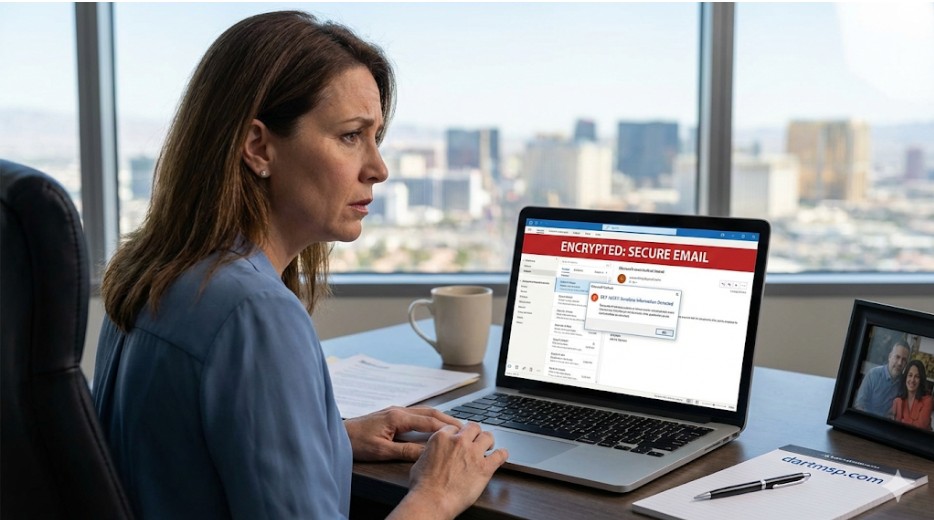
You know that feeling in the pit of your stomach when you hit "send" on an email containing sensitive client information? A quick flash of panic. Did I send that to the right person? Is this secure enough? For most small business owners in Las Vegas, that brief moment of anxiety is quickly pushed aside. There are payrolls to run, clients to serve, and a business to grow.
But what if that feeling is a warning sign?
Look, running a small business is hard enough without having to be a cybersecurity expert. Yet the reality is harsh. Cyberattacks cost small businesses an average of $150,000 per incident, and a staggering 46% of all data breaches target companies with fewer than 1,000 employees. Many are forced to close their doors within six months of a major breach. It's not a scare tactic; it's a statistic that should make every business owner pause.
The primary gateway for these attacks? Your email inbox.
This guide is designed to cut through the noise. We're going to demystify email encryption and Data Loss Prevention (DLP) and show you how to leverage the powerful tools you probably already have in Microsoft Outlook. This isn't about turning you into an IT guru. It's about giving you a practical, actionable plan to protect your data, comply with regulations like HIPAA or GLBA, and finally get some peace of mind.
Table of Contents
- Why Email Security Isn't Just for the Big Guys Anymore
- The Simple Breakdown: Email Encryption vs. Data Loss Prevention (DLP)
- Your Secret Weapon: Unlocking Security Inside Microsoft Outlook & 365
- A Practical Game Plan: Setting Up Basic DLP in M365
- Does This Make Me Compliant? (The Honest Answer)
- When Your Business Needs More Than the Basics
- The Human Factor: Your Team Isn't the Weakest Link
- The Decision Checklist: Choosing the Right Email Protection for Your Business
- Quick-Reference FAQ
- Your Next Step Toward Peace of Mind
Why Email Security Isn't Just for the Big Guys Anymore
It's a common misconception: "My business is too small to be a target." But hackers don't see size; they see opportunity. Small businesses are often less protected, making them low-hanging fruit. In fact, small businesses receive 1 in every 323 malicious emails, and Business Email Compromise (BEC)—where a scammer impersonates a CEO or vendor to trick an employee—accounted for 73% of all reported cyber incidents last year.
The costs go far beyond the initial financial loss. A data breach can lead to:
- Reputation Damage: How do you explain to a long-time client that their personal or financial data was stolen from your system? Trust is hard to earn and easy to lose.
- Operational Downtime: Cleaning up after a breach means your systems are down. You can't serve clients, you can't send invoices, and you can't operate.
- Regulatory Fines: This is the big one. If you're in healthcare, law, or finance, you're bound by strict data protection laws.
- HIPAA (Health Insurance Portability and Accountability Act): For any business handling Protected Health Information (ePHI), failing to secure email can result in fines ranging from thousands to millions of dollars.
- GLBA (Gramm-Leach-Bliley Act): Financial institutions—including accountants, financial advisors, and even some law firms—must protect consumers' private financial information. Non-compliance can lead to severe penalties.
The global email encryption market is exploding, projected to reach over $23 billion by 2030, driven almost entirely by these regulations. The good news is that protecting your business doesn't have to be overwhelmingly complex or expensive.
The Simple Breakdown: Email Encryption vs. Data Loss Prevention (DLP)
Let's clear up some jargon. People often use "email security," "encryption," and "DLP" interchangeably, but they do very different jobs.
Think of it this way: standard email security (like a spam filter) is the guard at the front gate of your building. They keep out the obvious troublemakers. But what about the sensitive packages being moved inside the building? That's where encryption and DLP come in.
Email Encryption is the armored truck. It takes your email and its attachments, scrambles them into an unreadable code using powerful standards like AES-256, and sends them across the internet. Only the person with the correct key (your intended recipient) can unlock and read the message. This protects your data "in transit" so no one can intercept and read it along the way.
Data Loss Prevention (DLP) is the security manager inside the building. A DLP system actively scans outgoing emails for sensitive information based on rules you create. It's the system that stops an employee from accidentally emailing a client list with social security numbers to the wrong "John Smith." It's your automated safety net against human error.
You need both. Encryption protects data from outside threats, while DLP protects it from inside mistakes.
Your Secret Weapon: Unlocking Security Inside Microsoft Outlook & 365
Here's the part that most small business owners miss: if you're using Microsoft 365 for your email, you already have powerful security tools at your fingertips. You just need to know how to activate and configure them properly.
By default, Outlook/M365 uses Transport Layer Security (TLS) to encrypt the connection between email servers. It's a great baseline—like a secure tunnel. But it has a crucial weakness for compliance: once the email arrives at the other end (say, a Gmail server), that server can read it. For true HIPAA or GLBA compliance, that's often not good enough.
But with the right plan (specifically Microsoft 365 Business Premium or higher), you get access to a much more powerful toolset called Microsoft Purview. This is where you can implement true encryption and DLP.
A Practical Game Plan: Setting Up Basic DLP in M365
You don't need to be a tech wizard to get started. Microsoft Purview allows you to create simple but effective DLP policies.
Imagine you're a small accounting firm. You want to prevent any email containing a client's credit card number or social security number from ever leaving your organization by mistake. Here's the thought process:
- Define the Data: You identify what's sensitive—in this case, credit card numbers and SSNs.
- Create the Rule: Inside the M365 compliance center, you can create a DLP policy that says, "Scan all outgoing emails."
- Set the Condition: The condition is, "If the email contains content that matches the format of a credit card number OR a U.S. social security number..."
- Define the Action: "...then block the email from being sent and notify the sender with a custom message explaining why it was blocked."
Just like that, you've built an automated safeguard that prevents a potentially catastrophic data leak. You can create similar policies for patient IDs (for HIPAA) or bank account numbers (for GLBA). You can also use "Sensitivity Labels" to classify documents as "Confidential," which can automatically apply encryption and prevent them from being shared externally.
Does This Make Me Compliant? (The Honest Answer)
This is the million-dollar question we hear all the time: "Is Microsoft 365 HIPAA compliant?"
The honest answer is: It can be, but it's not compliant right out of the box.
Microsoft provides the tools, but you are responsible for using them correctly. To achieve compliance with a platform like M365, you need two key things:
- A Business Associate Agreement (BAA): This is a legal contract you must sign with Microsoft in which they agree to protect any sensitive health information (ePHI) stored on their platform. Microsoft will sign a BAA with customers on compliant plans.
- Proper Configuration: You must actively configure the DLP policies, encryption rules, and access controls mentioned above. Simply having the license isn't enough; you have to do the work.
Getting this right can be tricky. And that's where the value of a dedicated IT partner comes in, ensuring your setup not only works but truly meets your legal obligations.
When Your Business Needs More Than the Basics
The built-in tools in Microsoft 365 are a fantastic starting point and might be enough for some businesses. But as you grow, or if you're in a high-stakes industry like healthcare or finance, you may find you need a more robust and user-friendly layer of protection.
Think about it this way: what happens when your doctor sends you a secure message? You usually have to log in to a clunky, confusing portal to view it. It's secure, but it's a terrible experience.
This is where advanced, managed security services can transform your email protection from a functional tool into a competitive advantage. These solutions often integrate directly into Outlook and provide:
- A Seamless User Experience: One-click encryption right from the "New Email" window. No extra logins or passwords for your team.
- A Frictionless Recipient Experience: Your clients don't have to create an account on a third-party portal. The email often decrypts automatically for them, or they can view it in a clean, secure web viewer. This builds trust and makes you look professional.
- AI-Powered Threat Detection: These systems go beyond just protecting outgoing data. They use artificial intelligence to analyze incoming emails for sophisticated phishing and BEC attacks that standard filters might miss.
- Enhanced Audit Trails: For compliance, you need to prove you're protecting data. Advanced solutions provide detailed reports showing who accessed what and when, making audits much less painful.
Moving to a managed solution isn't about replacing M365; it's about enhancing it to create an "invisible" yet powerful security shield around your communications.
The Human Factor: Your Team Isn't the Weakest Link
For years, the cybersecurity industry has preached that people are the "weakest link." We disagree. With the right tools and culture, your team can become your strongest line of defense.
The old way was to enforce complex rules that got in the way of work, then blame employees when they tried to find workarounds. The new way is to implement "human-centric security."
This means using tools that are so intuitive they just work. Encryption that happens automatically based on content. DLP alerts that are helpful and educational, not punitive. It's about empowering your employees, not policing them.
And instead of a boring, once-a-year training seminar, modern security awareness involves continuous micro-training. Think short, engaging videos and simulated phishing tests that provide immediate, positive feedback. This approach builds a culture of security where everyone feels accountable and invested in protecting the company and its clients.
The Decision Checklist: Choosing the Right Email Protection for Your Business
You're now armed with the knowledge to make an informed decision. As you evaluate your options—whether it's optimizing your current M365 setup or considering a more advanced solution—use this checklist to guide your thinking.
☐ What are my real compliance needs?
Am I handling ePHI (HIPAA)? Or private financial data (GLBA)? Be specific. This will determine the level of encryption and auditing you require.
☐ What is my budget?
Consider the Total Cost of Ownership. A slightly more expensive solution that saves you hours in administrative headaches or prevents a single breach offers an incredible return on investment. The cost of a breach is always higher than the cost of prevention.
☐ How easy is it for my team (and my clients) to use?
If a security tool is complicated, your team won't use it. Period. Look for solutions that integrate seamlessly with Outlook and don't disrupt workflows.
☐ What level of support will I get?
When something goes wrong with email, you need help now. Will you be stuck on hold with a massive corporation, or can you call a local partner who knows your business and can provide immediate support? This is where having dedicated managed IT services can be a game-changer.
Quick-Reference FAQ
What is the most secure email for a small business?
The most secure email is one that combines a reliable platform like Microsoft 365 with correctly configured, multi-layered security. This includes strong encryption, robust DLP policies, advanced threat protection for incoming mail, and ongoing user education.
How much does HIPAA-compliant email cost?
Costs can vary. You'll need at least a Microsoft 365 Business Premium license (around $22/user/month) to access the necessary features. More advanced, managed third-party solutions can range from an additional $5 to $15 per user, per month, but often provide a more seamless and comprehensive solution.
Can I encrypt emails for free?
There are free tools, but they are often difficult to use, require both the sender and recipient to install special software, and lack the central management and audit logs required for business compliance. For professional use, a paid, managed solution is the only reliable option.
Do I need to change my email address to get encrypted email?
No. Modern email encryption solutions integrate directly with your existing email platform (like Microsoft Outlook) and allow you to keep your current business email address.
Your Next Step Toward Peace of Mind
Protecting your business's most sensitive communications isn't an IT project; it's a fundamental business strategy. It protects your finances, your reputation, and your clients' trust. While the tools in Microsoft 365 are powerful, navigating the complexities of configuration and compliance can feel like a full-time job.
You don't have to do it alone.
Here in Las Vegas, we've helped hundreds of small and medium-sized businesses just like yours implement practical, effective, and affordable email security strategies. Our approach is simple: we handle the technology so you can focus on running your business.
If you're ready to stop worrying about email security and start feeling confident in your data protection, let's talk. A quick, no-obligation conversation can help clarify your risks and map out a clear path forward.
15-Minute Discovery Call to schedule your complimentary IT security consultation.